
The opening puts connected work ahead of software terminology. Four service cards make CRM setup, automation, reporting and integrations easy to distinguish.
Case study — 03Automation2026
Workful.
Making connected work
easy to understand.
01 The brief
Good work.
Less busywork.
Workful connects CRMs, tools and the work between them. The website needed to make that service easy to picture—and easy to ask for.
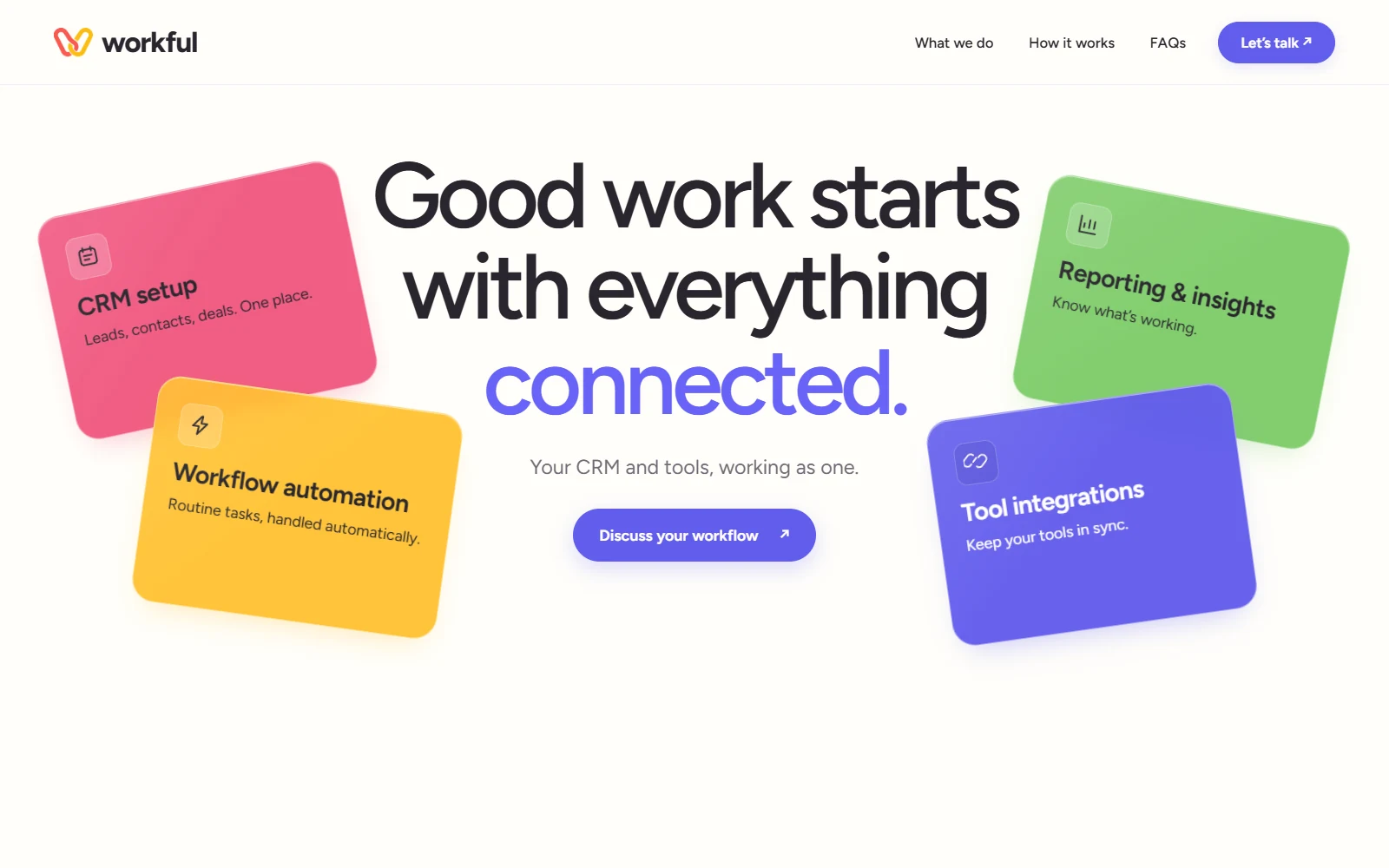
One direct promise. Four clear services. Color and movement give a technical offer a more approachable face.
02 The visual language
A little color.
A lot of clarity.
Violet leads. Rose, yellow and green separate the services and steps. Rounded forms and simple line icons keep the technical detail approachable.
 workfulGood work starts here.
Simple forms. Clear connections.
01 / CRMRose
02 / AutomationCitrus
03 / ReportingGreen
04 / IntegrationsViolet
A connected mark, a four-color vocabulary and a shared set of shapes carry the site.
03 The decisions
Show the work.
Keep it simple.
An inquiry becomes a CRM record, then a team notification. The sequence shows what automation does, without asking visitors to read a technical description.
Recognizable tools give visitors a way into the offer. Service details and common questions sit further down, ready when someone wants a closer look.
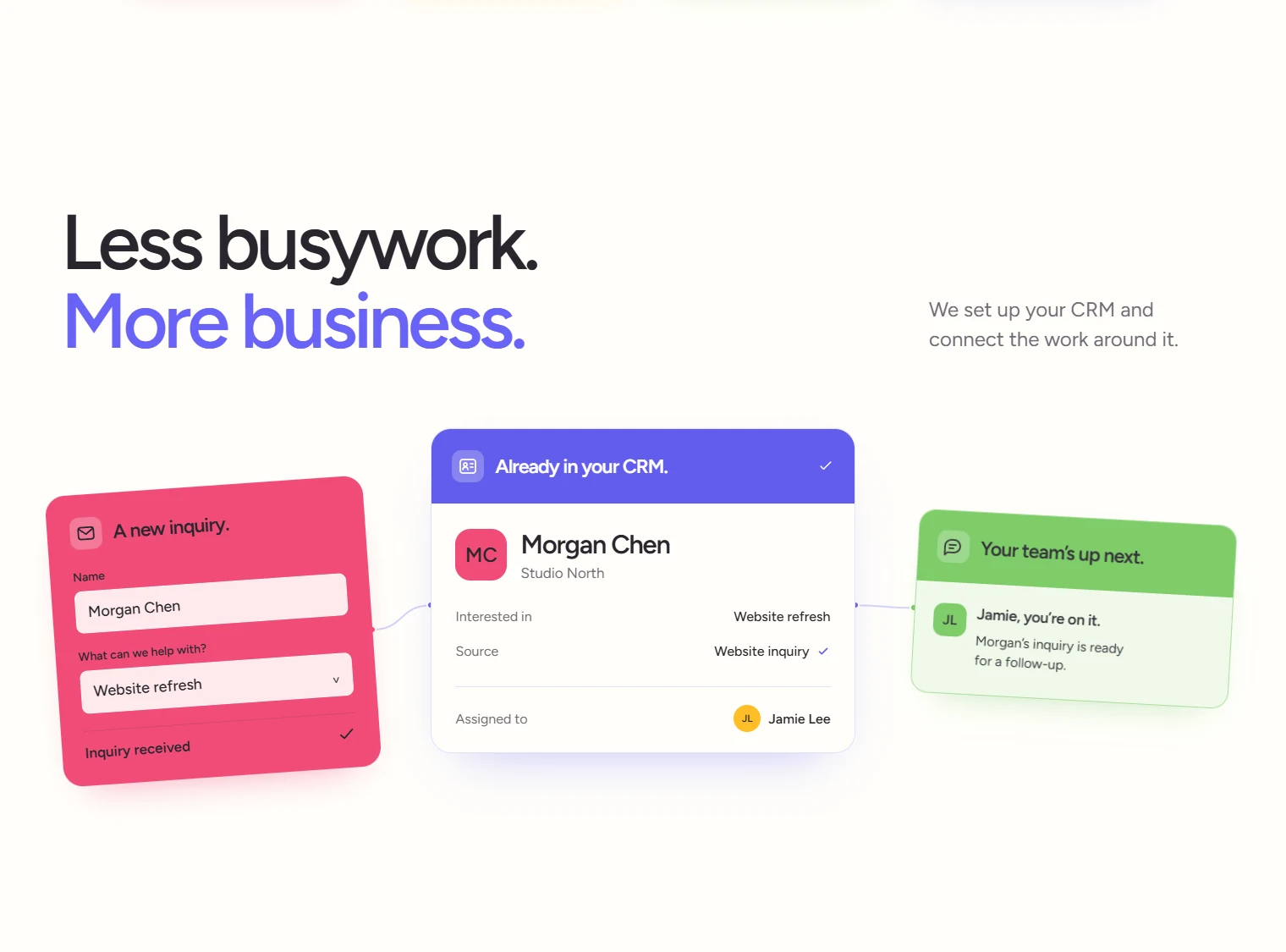
From first inquiry to the next handoff. Connected cards turn the explanation into a sequence visitors can follow.
04 The finished project
From “what is it?”
to “that would help.”
A service-led website with interactive examples, clear capabilities and a direct invitation to discuss a workflow.
What the build delivers
- A clear offer
- Four service areas make it easy to find the relevant help.
- A visible process
- Workflow examples show how information moves between tools and people.
- A next step
- Service details and common questions lead into a workflow conversation.